1. What does it mean to log in with a Web3 wallet?
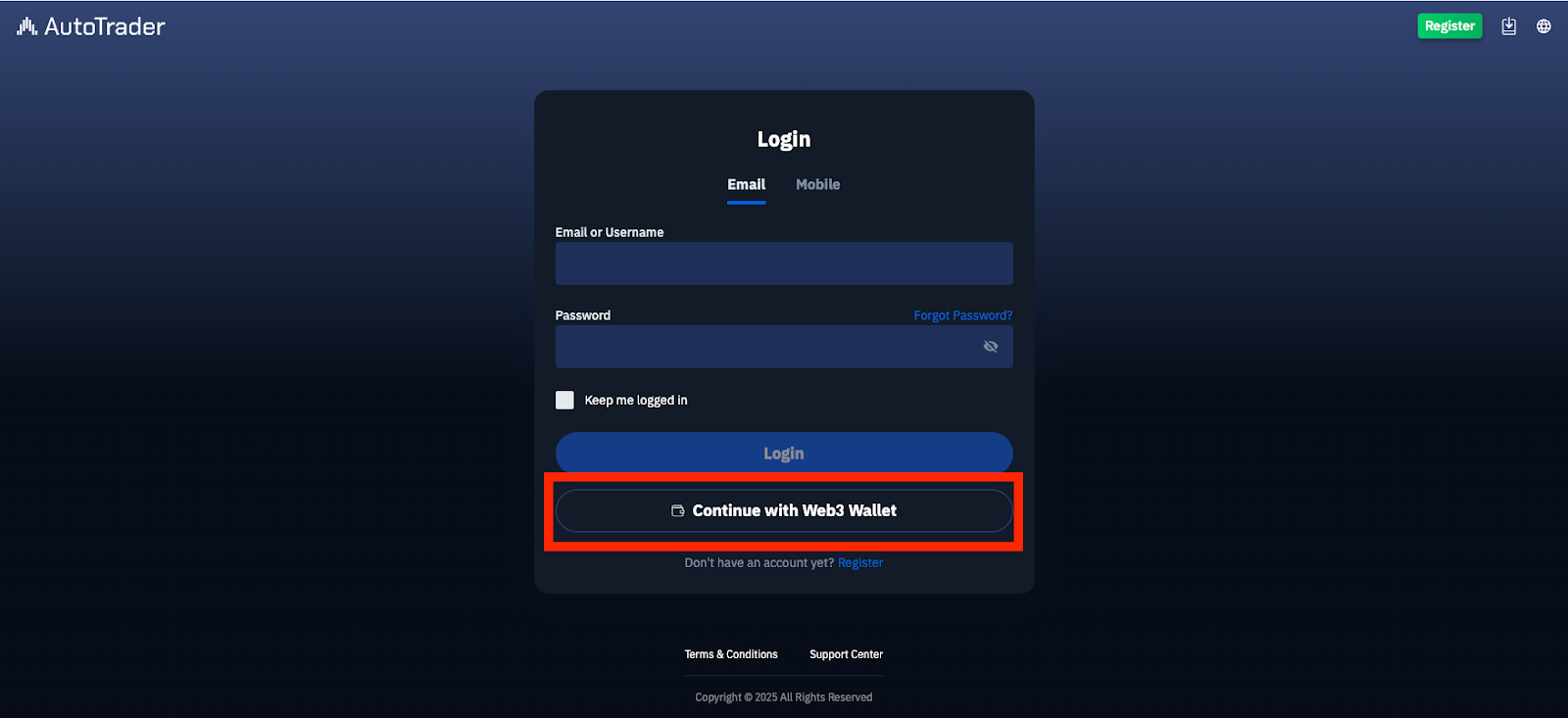
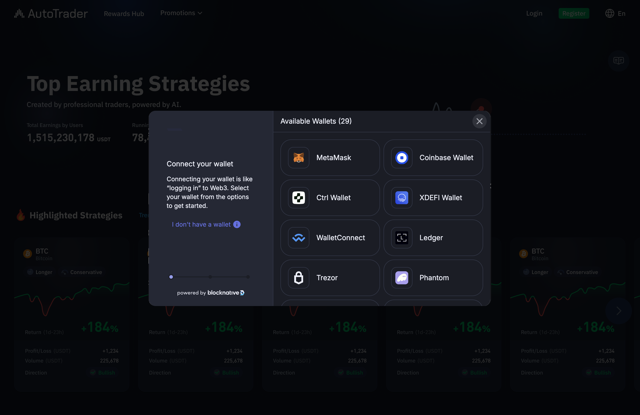
Web3 Wallet Login is a new feature on AT.io that allows users to register and log in using a decentralized wallet (such as MetaMask, WalletConnect, etc.), without the need for an email address or phone number. More importantly, this enables users to deposit funds directly from your wallet.
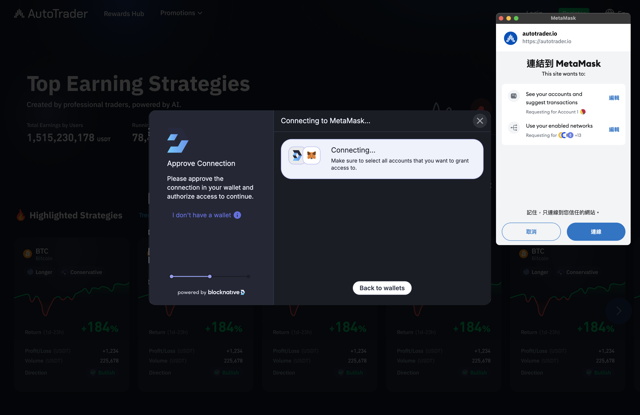
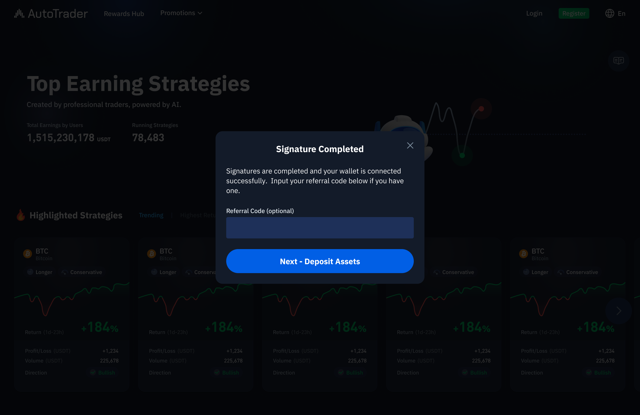
2. How do I register/log in with a Web3 wallet?
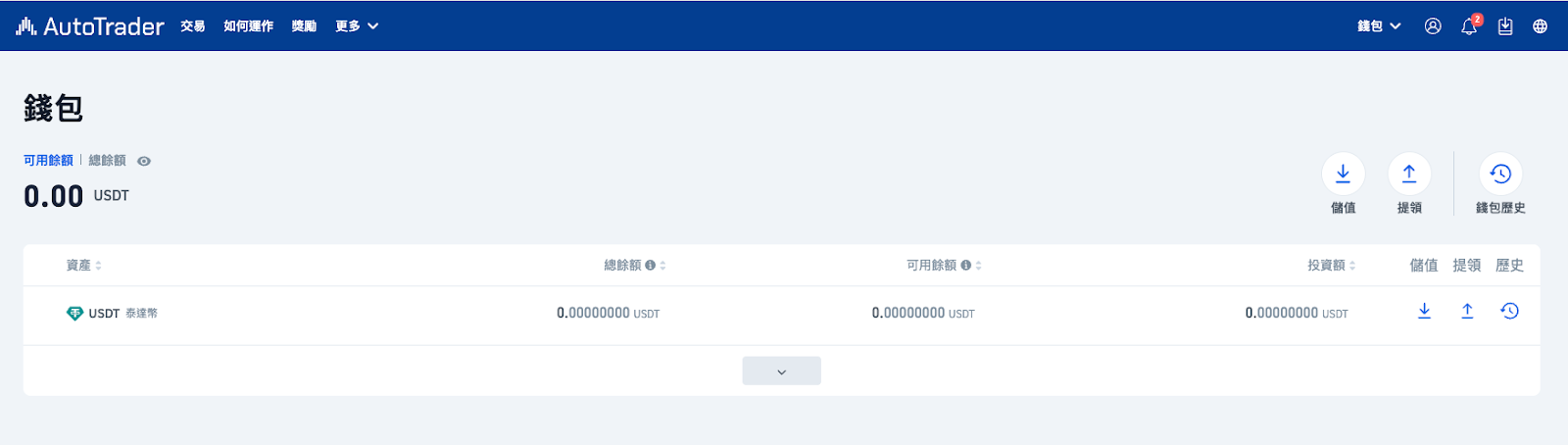
3. If I already log in with an e-mail address, can I also log in with a Web3 wallet?
Currently, accounts created with an e-mail address cannot be linked to a Web3 wallet. If you wish to log in with a Web3 wallet, please log out from your Email account first, then log in separately with your Web3 wallet. Please note that account information for Web3 wallet logins is independent and not shared with your e-mail address login account.
4. After logging in with a Web3 wallet, do I need to provide an e-mail address or other personal information?
No additional e-mail or personal information is required after logging in with a Web3 wallet. You can start trading immediately!
5. Which security measures are in place for Web3 wallet login?
Login, withdrawal, and critical actions require wallet signature verification.
No password, email, or phone number is needed, reducing the risk of data leaks.
You can log out and disconnect your wallet at any time for session security.
6. How is my account information different with if I log in with my Web3 wallet?
The username defaults to your wallet address (first 35 characters).
No e-mail address or phone number is shown in your account.
All notifications are sent via AT.io’s in-app message center—no e-mails or text messages.
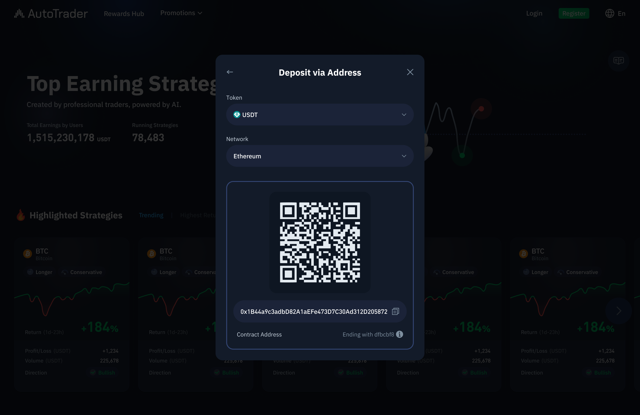
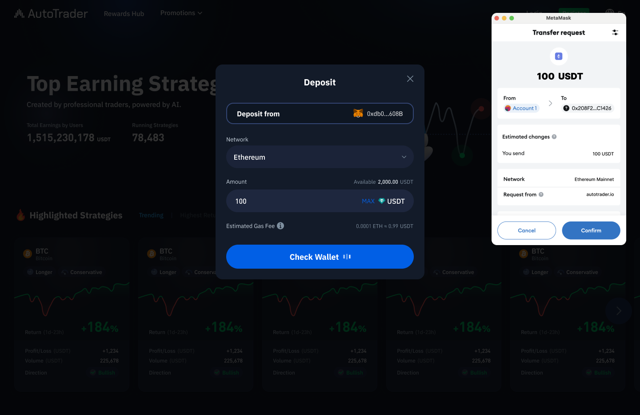
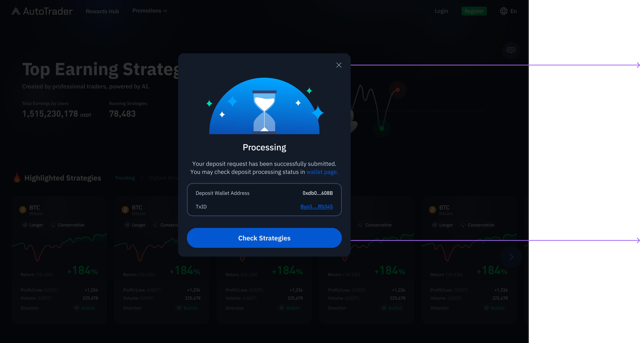
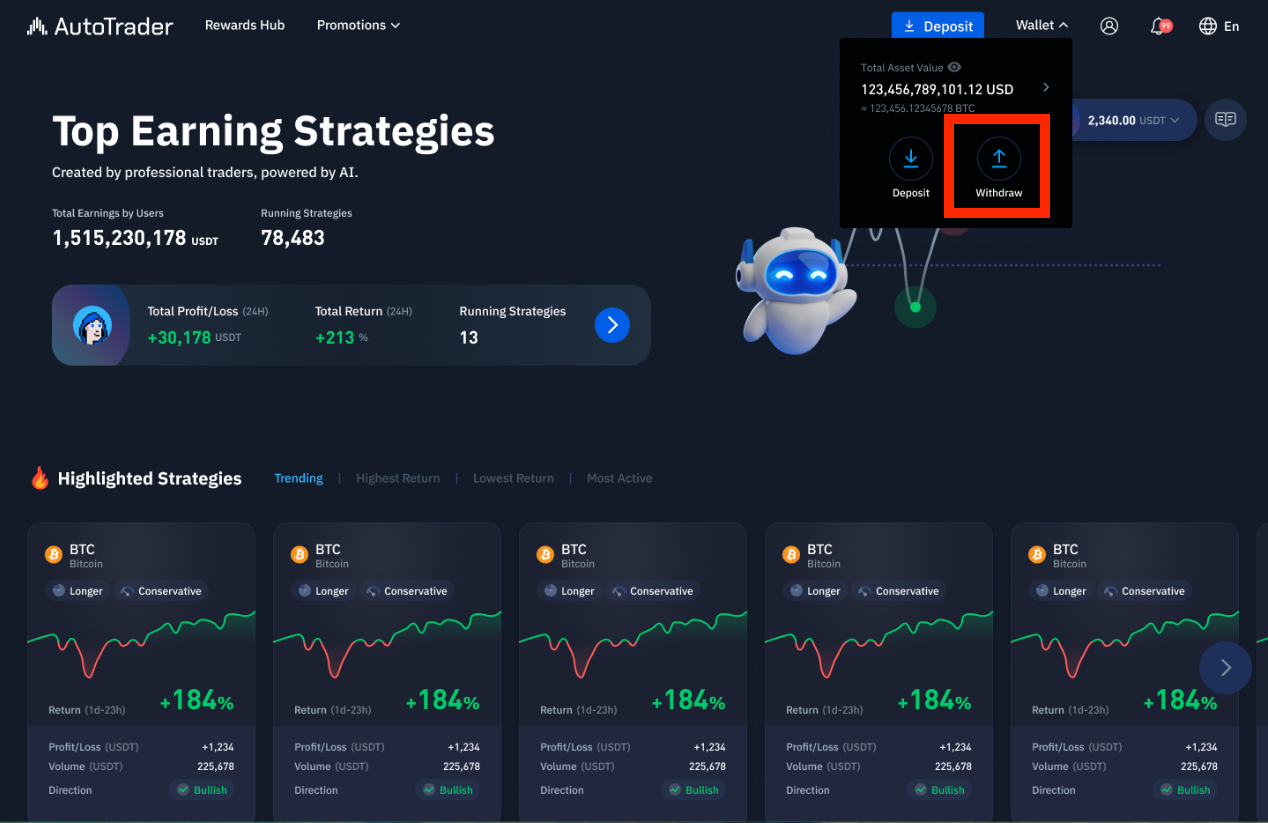
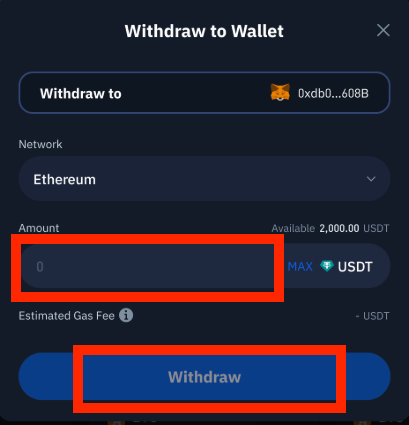
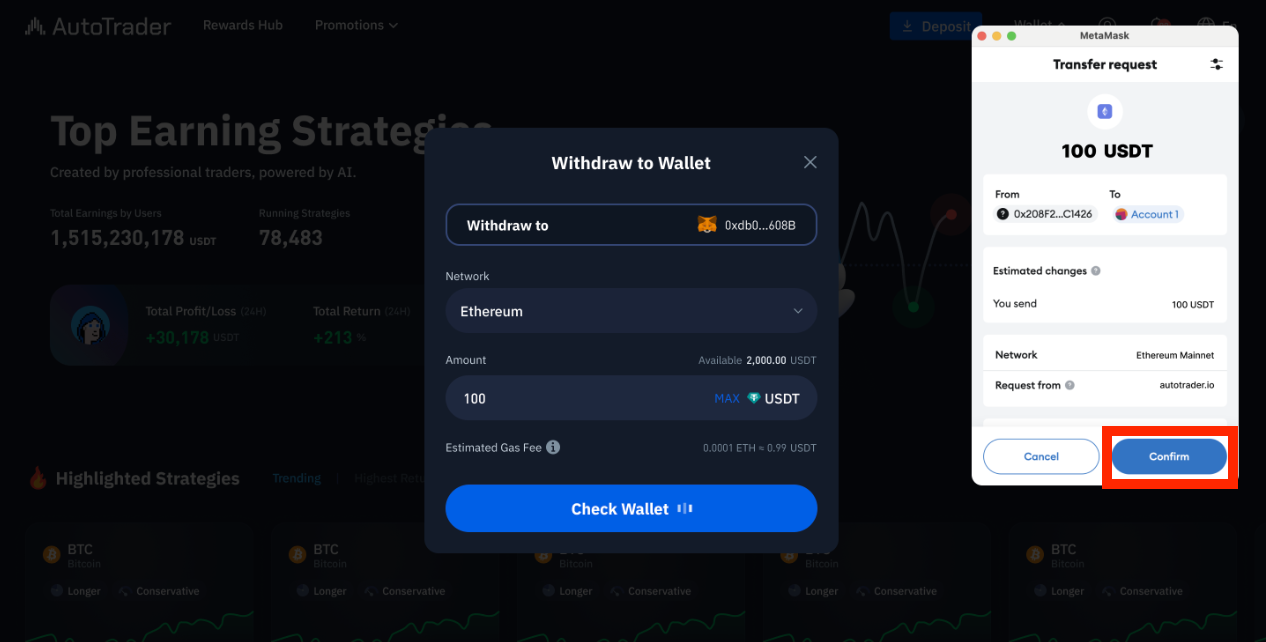
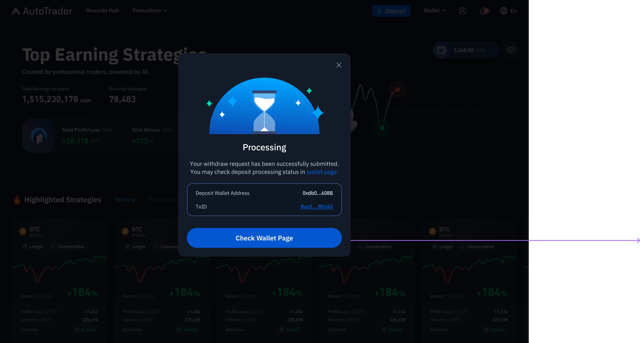
7. How do I deposit and withdraw funds?
For Depositing Funds
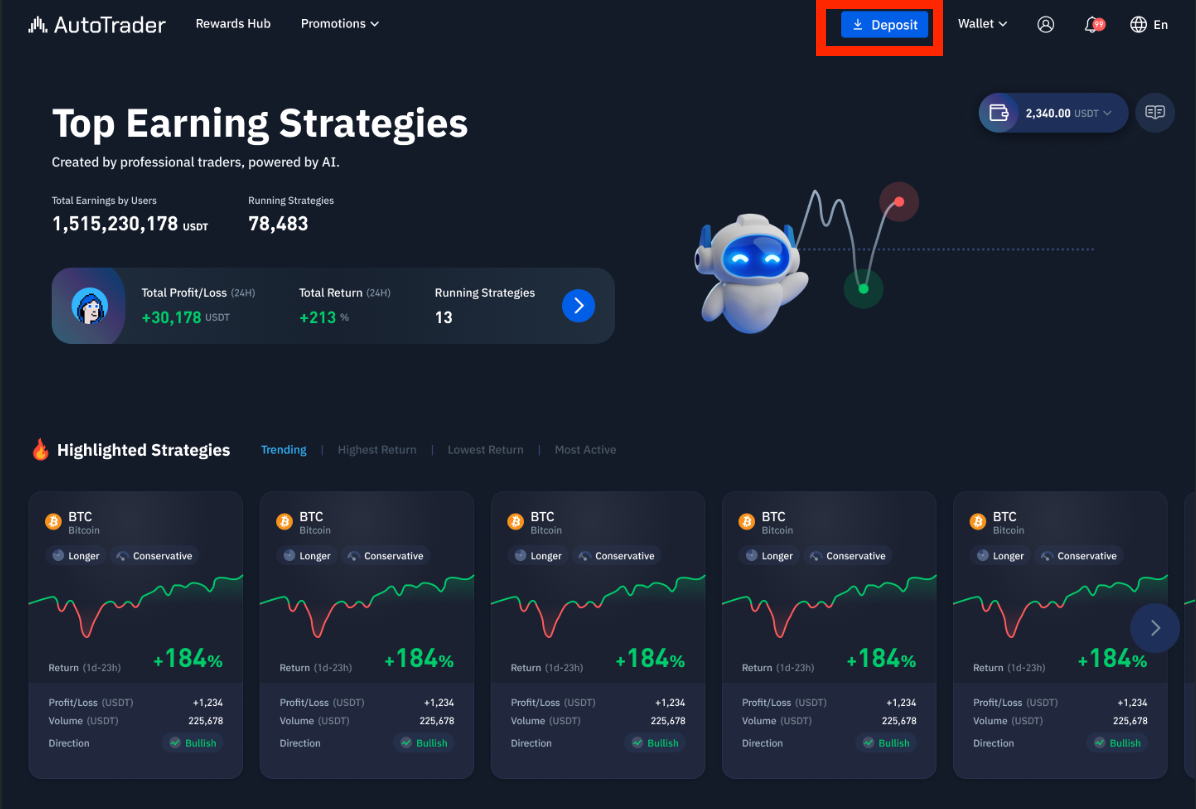
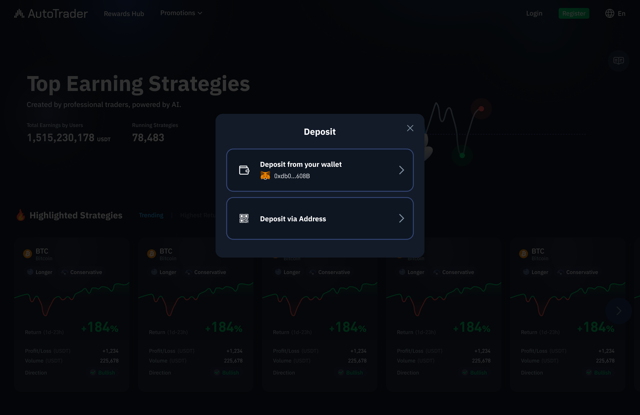
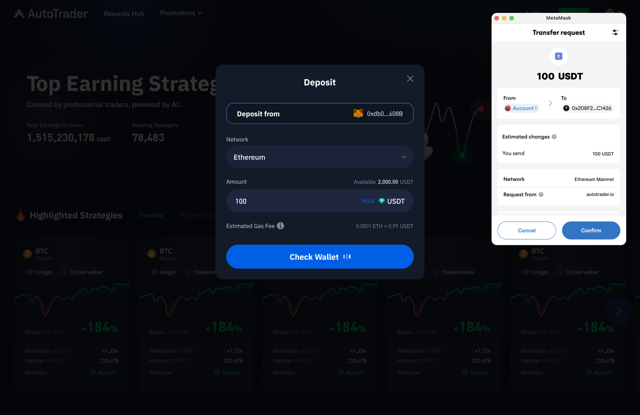
For Withdrawing Funds
8. What if I forget my password?
No password is required when logging in with a Web3 wallet. As long as you have access to your wallet, you can log in. Make sure to keep your wallet’s private key and seed phrase secure.
9. Common issues and reminders
Keep your wallet secure; never share your private key or seed phrase.
If you change wallets, you’ll need to register a new account.
All actions require signature confirmation with your wallet app—never sign unknown requests.
Was this article helpful?
That’s Great!
Thank you for your feedback
Sorry! We couldn't be helpful
Thank you for your feedback
Feedback sent
We appreciate your effort and will try to fix the article